
A useful first document set shows where fixed cabinetry will go, what each space must do, and which details still need checking. It does not have to be a finished construction package. A clear sketch with honest notes is more useful than a polished drawing that hides uncertain measurements.
The aim is a traceable basis for discussion. GEORGE formats, file transfer arrangements and the final approval route must be confirmed for the specific project.
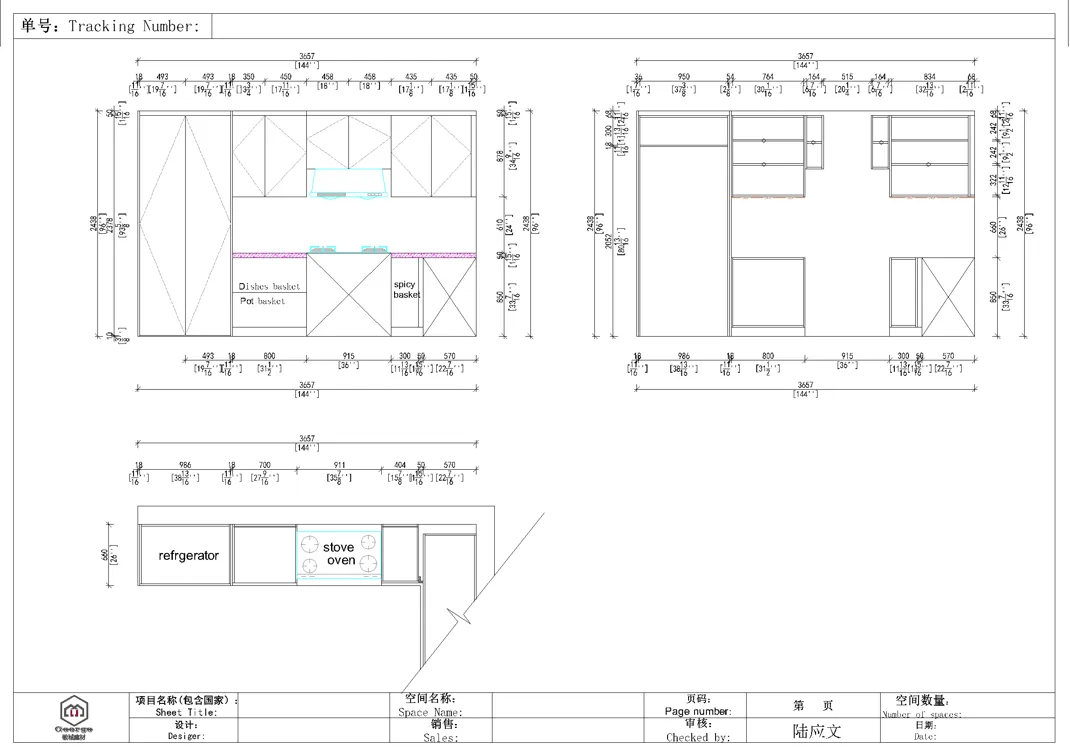
Build one coordinated starting set
Collect what already exists and use the same room names across plans, elevations, cabinet lists and photographs. Label missing values as to be confirmed. For repeated units, separate the standard type from each exception.
Every drawing or schedule should carry a project name, date, revision, units and preparer. Identify the current issue and keep superseded sheets out of the working package.
| Document or list | What it should show | If it is not ready |
|---|---|---|
| Floor plan or sketch | Cabinet rooms, wall lengths, heights, openings, scale and units | Use a labelled hand sketch and mark dimensions requiring a site check |
| Elevations or photographs | Each cabinet wall, slopes, obstructions, retained finishes and services | Provide dated room-labelled photographs and note hidden conditions |
| Room and cabinet schedule | Room or unit type, fixed cabinets, use, quantity and repeated layouts | List rooms and needs first; leave counts open |
| Appliance and fixture schedule | Model, dimensions, clearances, ventilation, connections and access | State intended type and mark the exact model pending |
| Service and interface plan | Water, waste, power, data, ventilation, lighting, walls and worktops | Name who will confirm each point and by when |
| Finish and hardware schedule | Material, colour, fronts, grain direction, handles and fittings | Use references as direction and identify the sample decision |
| Approval register | Current revision, approvers, comments, open items and distribution | Start a dated list instead of relying on messages |
New construction and existing rooms need different evidence
New construction
Provide the current architectural plan, wall build-up, finished floor, ceiling coordination, service design and programme stage. Note what may still change.
Existing room or renovation
Add overall photographs, service and obstruction views, measurements at several points where surfaces may vary, and a keep/remove/check schedule. Record what cannot be seen until removal.
Repeated units or room types
Use a unit-type matrix. Link each exception to a unit or room reference so it cannot be mistaken for the standard.
Make unknowns and responsibility visible
Distinguish known information, information requiring site verification, and selections not yet approved. If a refrigerator is not selected, show its intended position and mark the model and clearances pending instead of assuming them.
Before a detailed proposal, ask which dimensions require final verification, who coordinates appliances and services, which samples and drawings require approval, and which version controls pricing.
Send a document package that can be reviewed
Include the information that is known and label open items instead of guessing.
- Cover note with project, location, stage, contact and revision.
- Plans, elevations and schedules with units and consistent room names.
- Appliance, fixture and service information linked to affected cabinets.
- For renovation, dated photographs, retained items and hidden conditions.
- Priorities, open selections, site checks and approval owners.
- Requested quote scope, delivery point and measurement or installation arrangement.
Start a cabinetry document review. Summarise rooms, drawing revision, stage and open items. The public popup has no verified upload field, so ask for the confirmed drawing submission method.